
Live Captions
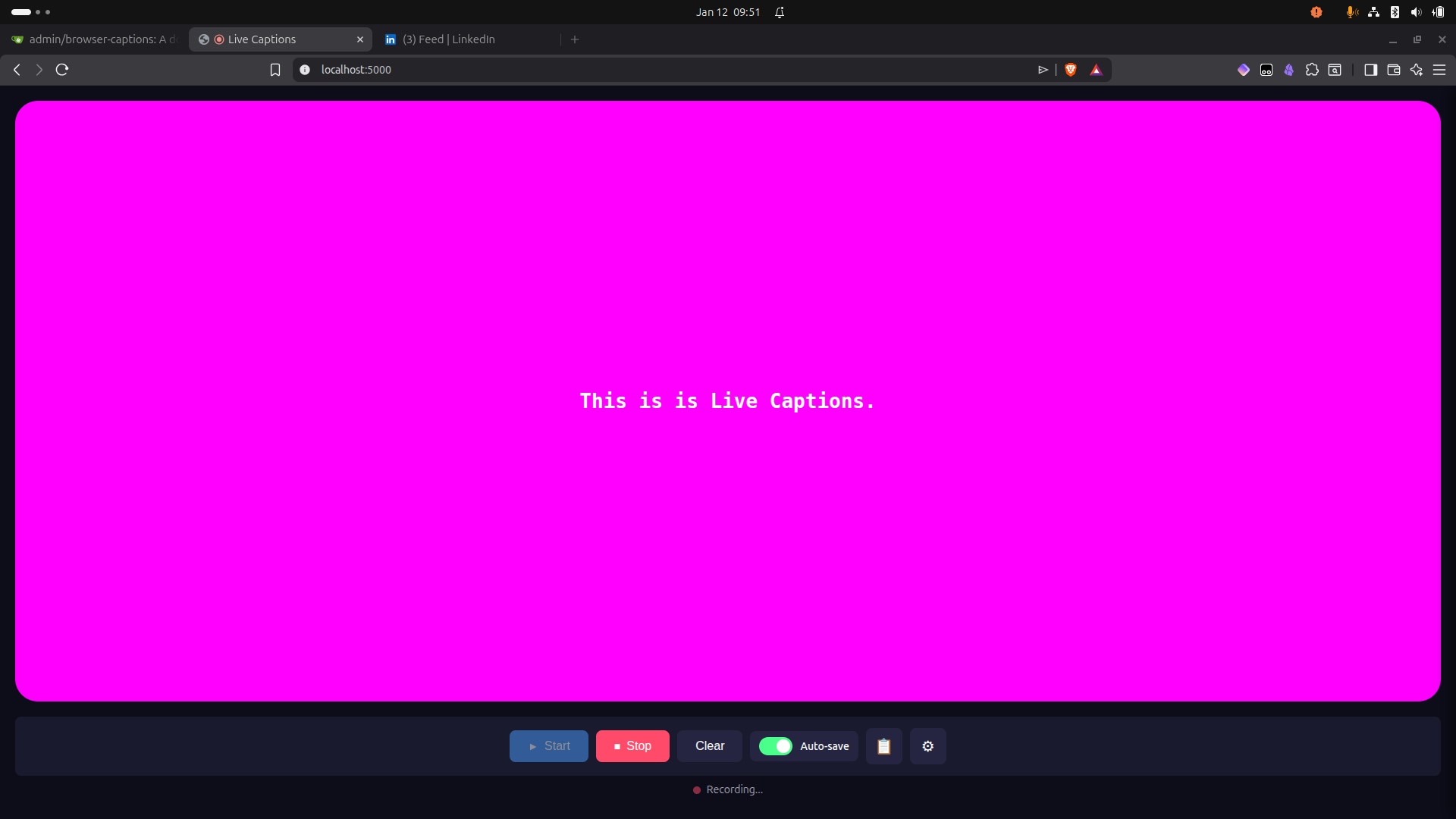
Real-time speech-to-text captions displayed in a customizable browser window, running entirely locally using OpenAI's Whisper model.
Features
- Local Processing: All transcription happens on your machine - no data sent to external services
- Real-time Captions: Audio captured and transcribed in small chunks for near-instant feedback
- Customizable Display: Adjust font, colors, size, background opacity, and more
- Recording Support: Save caption sessions as markdown files
- GPU Acceleration: Optional NVIDIA GPU support for faster transcription
- Docker-based: Easy deployment with minimal setup
Quick Start
Prerequisites
- Docker and Docker Compose installed
- Nvidia Docker Toolkit installed
- Microphone access in browser
Installation
-
Clone the repository:
git clone <repository-url> cd live-captions -
Create your environment file:
cp .env.example .env -
Build and run:
docker compose up --build -
Open http://localhost:5000 in your browser
-
Click "Start" and allow microphone access
Configuration
Environment Variables
Edit .env to customize:
| Variable | Default | Description |
|---|---|---|
WHISPER_MODEL |
base |
Model size: tiny, base, small, medium, large |
WHISPER_DEVICE |
cpu |
Processing device: cpu or cuda |
WHISPER_COMPUTE_TYPE |
int8 |
Precision: int8, float16, float32 |
PORT |
5000 |
Server port |
AUDIO_CHUNK_DURATION |
3 |
Seconds of audio per chunk |
Model Sizes
| Model | Size | Speed | Accuracy | RAM Required |
|---|---|---|---|---|
tiny |
39M | Fastest | Lower | ~1GB |
base |
74M | Fast | Good | ~1GB |
small |
244M | Medium | Better | ~2GB |
medium |
769M | Slower | High | ~5GB |
large |
1550M | Slowest | Highest | ~10GB |
Display Settings
Access the settings panel in the web UI to customize:
- Font family, size, and weight
- Text and background colors
- Background opacity and border radius
- Maximum words displayed
Settings persist in a local SQLite database.
Docker Commands
# Build and run
docker compose up --build

# Run in background
docker compose up -d --build

# View logs
docker compose logs -f

# Stop
docker compose down

# Reset all data (database + cached models)
docker compose down -v
NVIDIA GPU Support
GPU acceleration significantly improves transcription speed (3-10x faster than CPU).
Prerequisites
- NVIDIA GPU with CUDA support
- NVIDIA driver installed (verify with
nvidia-smi) - Docker installed
Install NVIDIA Container Toolkit
# Add NVIDIA package repository
curl -fsSL https://nvidia.github.io/libnvidia-container/gpgkey | sudo gpg --dearmor -o /usr/share/keyrings/nvidia-container-toolkit-keyring.gpg
curl -s -L https://nvidia.github.io/libnvidia-container/stable/deb/nvidia-container-toolkit.list | \
  sed 's#deb https://#deb [signed-by=/usr/share/keyrings/nvidia-container-toolkit-keyring.gpg] https://#g' | \
  sudo tee /etc/apt/sources.list.d/nvidia-container-toolkit.list

# Install the toolkit
sudo apt-get update
sudo apt-get install -y nvidia-container-toolkit

# Configure Docker to use NVIDIA runtime
sudo nvidia-ctk runtime configure --runtime=docker
sudo systemctl restart docker

# Verify installation
docker run --rm --gpus all nvidia/cuda:12.1.0-base-ubuntu22.04 nvidia-smi
Enable GPU Mode
-
Update
.env:WHISPER_DEVICE=cuda WHISPER_COMPUTE_TYPE=float16 -
Run with GPU compose file:
docker compose -f docker-compose.yml -f docker-compose.gpu.yml up --build
GPU Compute Types
| Type | Speed | Memory | Notes |
|---|---|---|---|
float16 |
Fast | Medium | Recommended for most GPUs |
int8_float16 |
Faster | Lower | Good balance of speed/memory |
float32 |
Slower | Higher | Maximum precision |
GPU Troubleshooting
- "could not select device driver": NVIDIA Container Toolkit not installed or Docker not restarted
- CUDA out of memory: Try a smaller model (
WHISPER_MODEL=smallortiny) - Verify GPU access:
docker run --rm --gpus all nvidia/cuda:12.1.0-base-ubuntu22.04 nvidia-smi
Architecture
Browser                          Docker Container
┌─────────────────────┐         ┌─────────────────────────────┐
│  MediaRecorder API  │         │  Flask + Flask-SocketIO     │
│  (audio chunks)     │ ──────► │         (app.py)            │
│                     │ WebSocket│            │                │
│  Caption Display    │ ◄────── │  faster-whisper transcriber │
│  (word-by-word)     │         │      (transcriber.py)       │
│                     │         │            │                │
│  Settings Panel     │ ──────► │  SQLite settings persistence│
│                     │ REST API│      (database.py)          │
└─────────────────────┘         └─────────────────────────────┘
Data Flow
- Browser captures microphone audio using MediaRecorder API
- Audio sent as base64-encoded WebM chunks via WebSocket
- Backend converts WebM to WAV using pydub/ffmpeg
- faster-whisper transcribes audio to text
- Text sent back via WebSocket
- Frontend displays words with animation effect
API Reference
REST Endpoints
| Endpoint | Method | Description |
|---|---|---|
/ |
GET | Main UI |
/api/health |
GET | Health check |
/api/settings |
GET | Get current settings |
/api/settings |
PUT | Update settings |
/api/settings/reset |
POST | Reset to defaults |
/api/recordings |
GET | List saved recordings |
/api/recordings/<filename> |
GET | Get recording content |
/api/recordings/<filename> |
DELETE | Delete recording |
WebSocket Events
| Event | Direction | Payload |
|---|---|---|
audio_data |
client → server | {audio: base64, format: 'webm'} |
transcription |
server → client | {text: string} |
settings_updated |
server → client | settings object |
start_recording |
client → server | - |
stop_recording |
client → server | - |
Data Persistence
| Location | Content |
|---|---|
./data/ |
SQLite database for settings |
./recordings/ |
Saved caption sessions (markdown) |
whisper-models volume |
Cached Whisper model files |
License
MIT