 bunker-admin
a77306fac2
bunker-admin
a77306fac2
Phase 1-14 complete:
- Unified Express.js API (TypeScript, Prisma ORM, PostgreSQL 16)
- React Admin GUI (Vite + Ant Design + Zustand)
- JWT auth with refresh tokens
- Influence: Campaigns, Representatives, Responses, Email Queue
- Map: Locations, Cuts, Shifts, Canvassing System
- NAR data import infrastructure (2025 format)
- Listmonk newsletter integration
- Landing page builder (GrapesJS)
- MkDocs + Code Server integration
- Volunteer portal with GPS tracking
- Monitoring stack (Prometheus, Grafana, Alertmanager)
- Pangolin tunnel integration

Co-Authored-By: Claude Sonnet 4.5 <noreply@anthropic.com>
1.5 KiB
1.5 KiB
Code Server
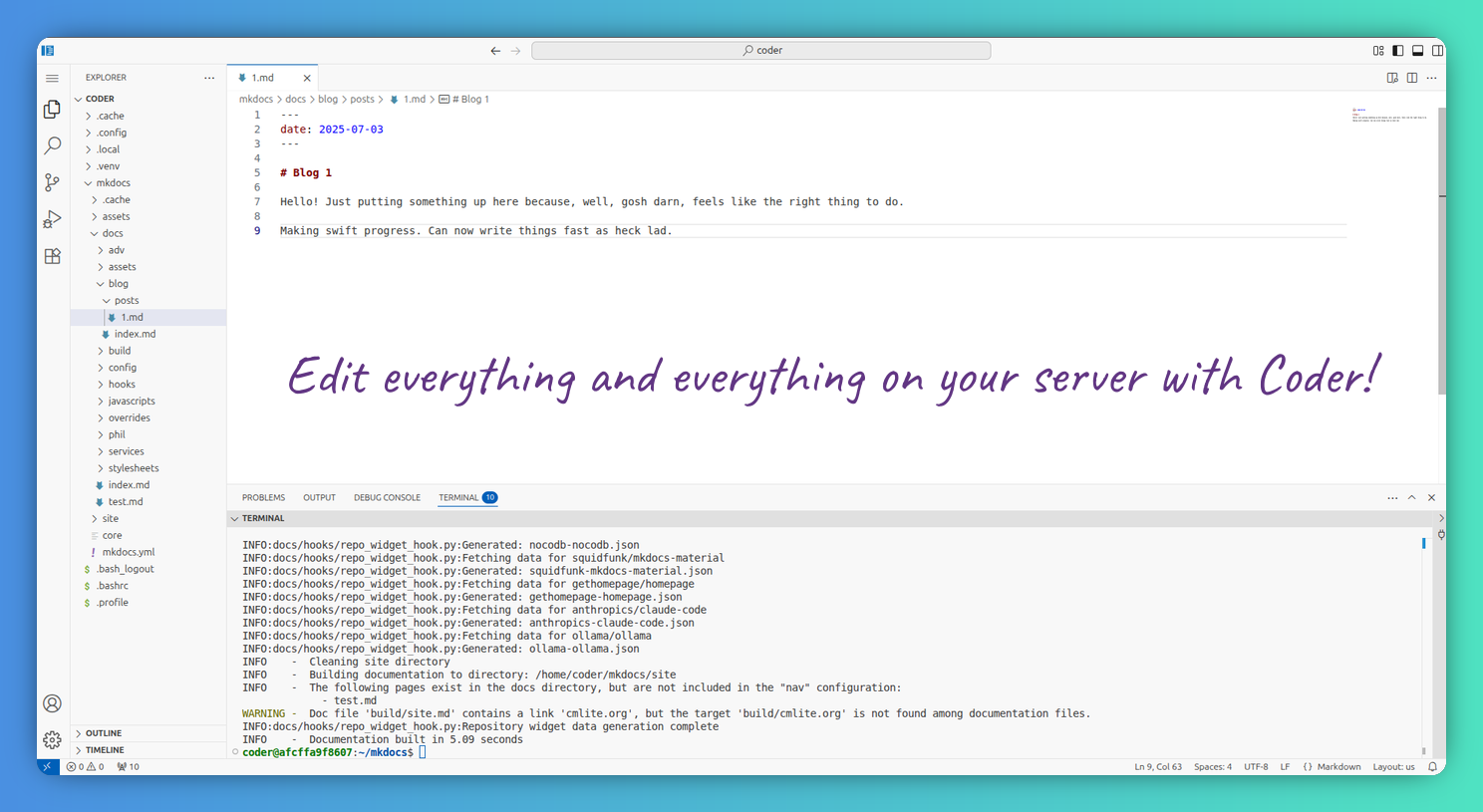
Overview
Code Server provides a full Visual Studio Code experience in your web browser, allowing you to develop from any device. It runs on your server and provides access to your development environment through a web interface.
Features
- Full VS Code experience in the browser
- Extensions support
- Terminal access
- Git integration
- File editing and management
- Multi-language support
Access
- Default Port: 8888
- URL:
http://localhost:8888 - Default Workspace:
/home/coder/mkdocs/
Configuration
Environment Variables
DOCKER_USER: The user to run code-server as (default:coder)DEFAULT_WORKSPACE: Default workspace directoryUSER_ID: User ID for file permissionsGROUP_ID: Group ID for file permissions
Volumes
./configs/code-server/.config: VS Code configuration./configs/code-server/.local: Local data./mkdocs: Main workspace directory
Usage
- Access Code Server at
http://localhost:8888 - Open the
/home/coder/mkdocs/workspace - Start editing your documentation files
- Install extensions as needed
- Use the integrated terminal for commands
Useful Extensions
Consider installing these extensions for better documentation work:
- Markdown All in One
- Material Design Icons
- GitLens
- Docker
- YAML
Official Documentation
For more detailed information, visit the official Code Server documentation.